
How to Request a Quote With Paradigm Trends

Whether you’re sourcing for a renovation, refreshing guestrooms, or exploring custom finishes for an upcoming project, requesting a quote through Paradigm Trends is straightforward and flexible.
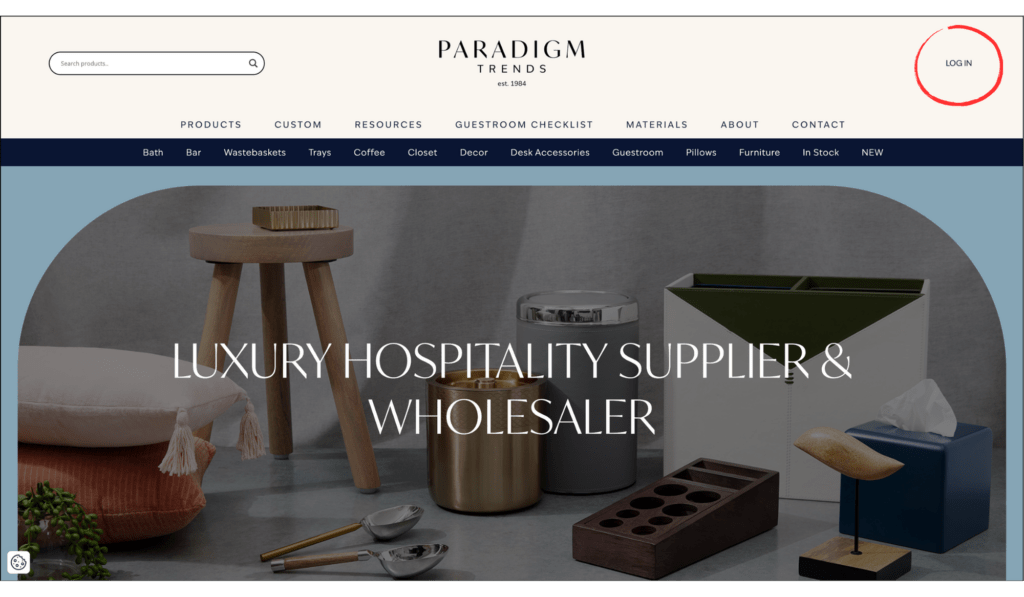
Step 1. Log In
Start by registering for an account or logging into an existing account on Paradigm Trends.This allows you to save quote requests, revisit projects later, and manage multiple requests in one place.
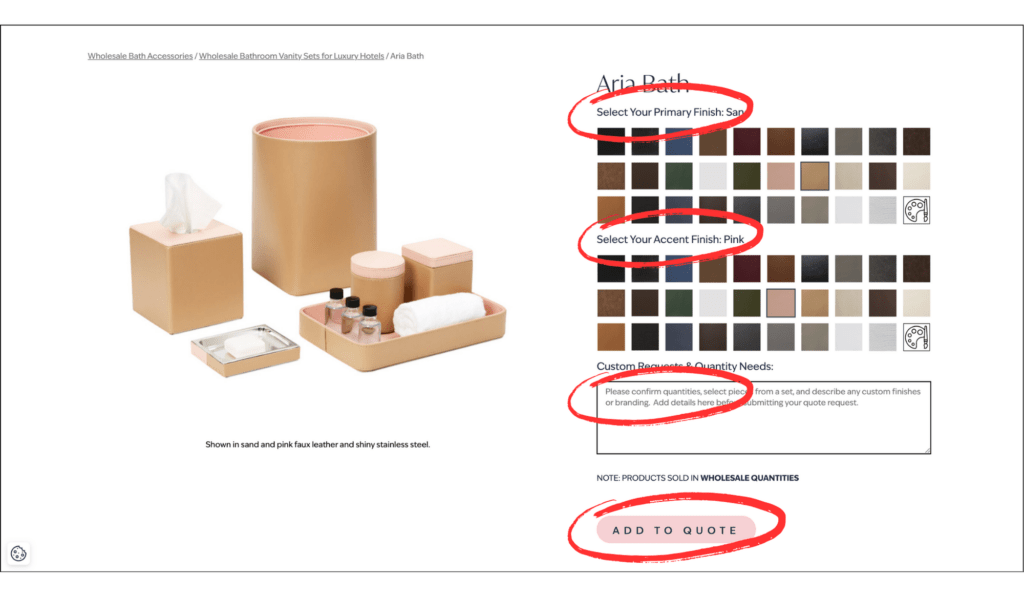
Step 2. Select Your Product & Finishes
Browse our collections and open the product you’d like quoted. From there, you can:
- Select your preferred finishes
- Choose accent details
- Add quantity or project notes
- Include any customization requests
Once everything is selected, click “Add to Quote.”
Think of it as building a project wishlist, but with hospitality-grade precision tucked neatly behind the curtain.
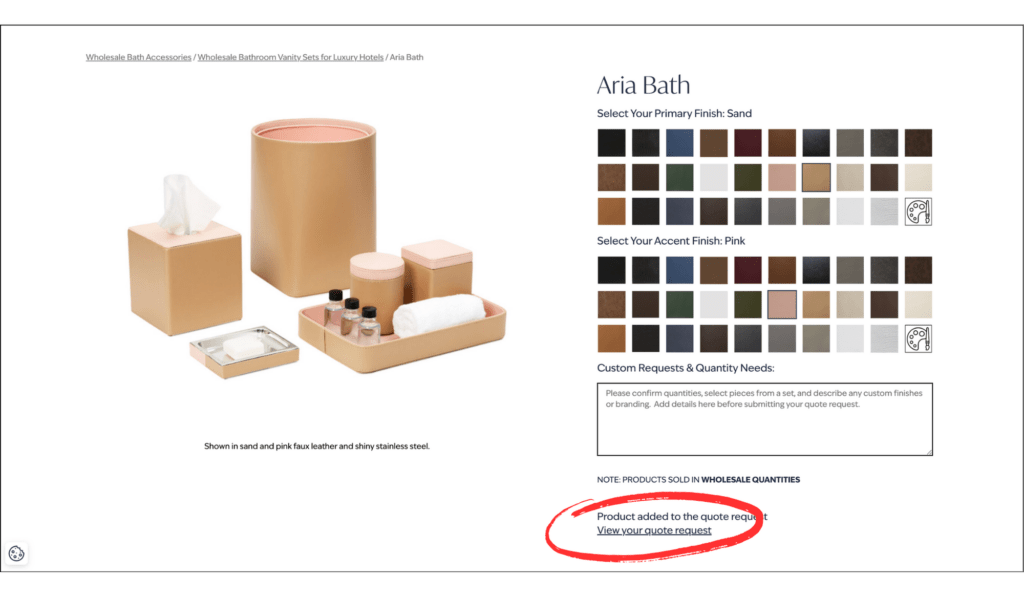
Step 3. Review Your Quote Request
After adding products, click “View Quote Request” to review your selections.Here, you can confirm finishes, quantities, and project details before submitting.
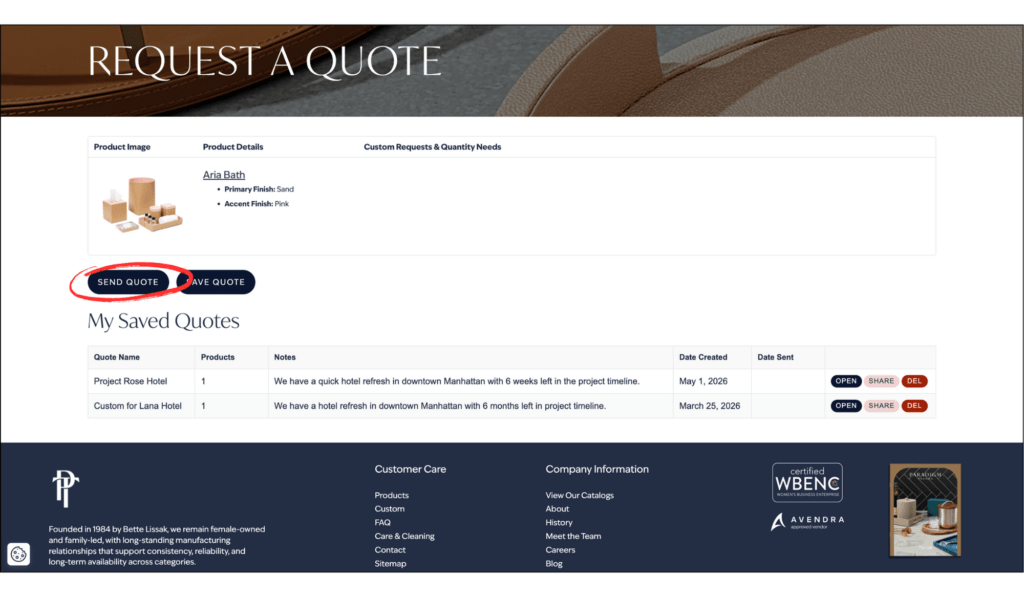
Step 4. Save or Send
Need more time or waiting on approvals? Click “Save Quote” to keep the request in your dashboard for later.
Ready to move forward? Click “Send Quote.”
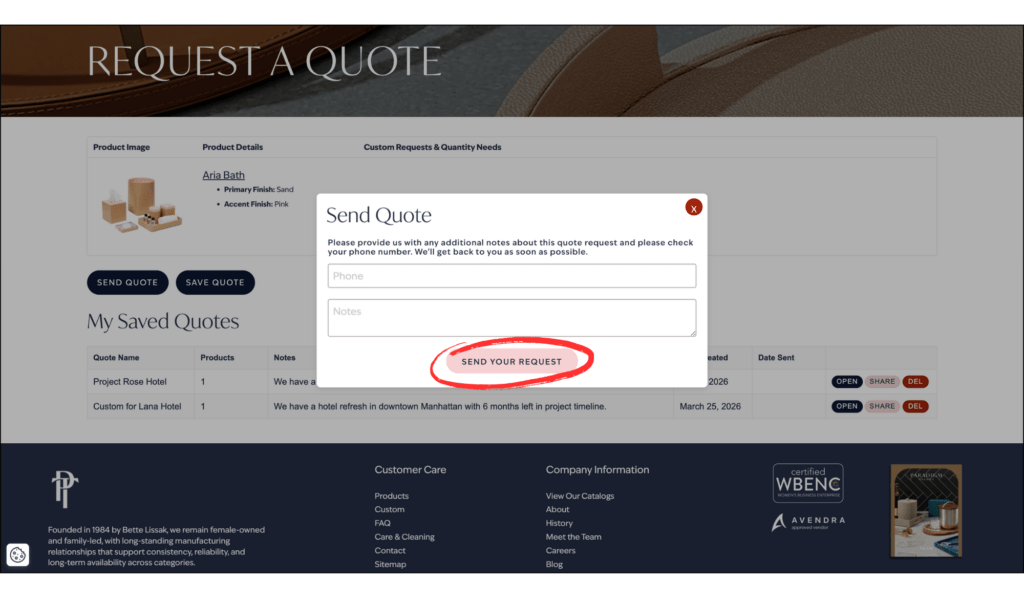
Step 5. Submit Additional Details
Before submitting, you’ll have the opportunity to include any final project information, timelines, or notes that may help our team better support your request.
Click “Send” to submit your quote request to the Paradigm Trends team.
From quick-ship needs to fully customized hospitality programs, our team reviews every request with your project scope, timeline, and operational goals in mind.
Lead Times and Customization: What Hotel Buyers Should Know Before Ordering OS&E / FF&E.